 Y2KCam


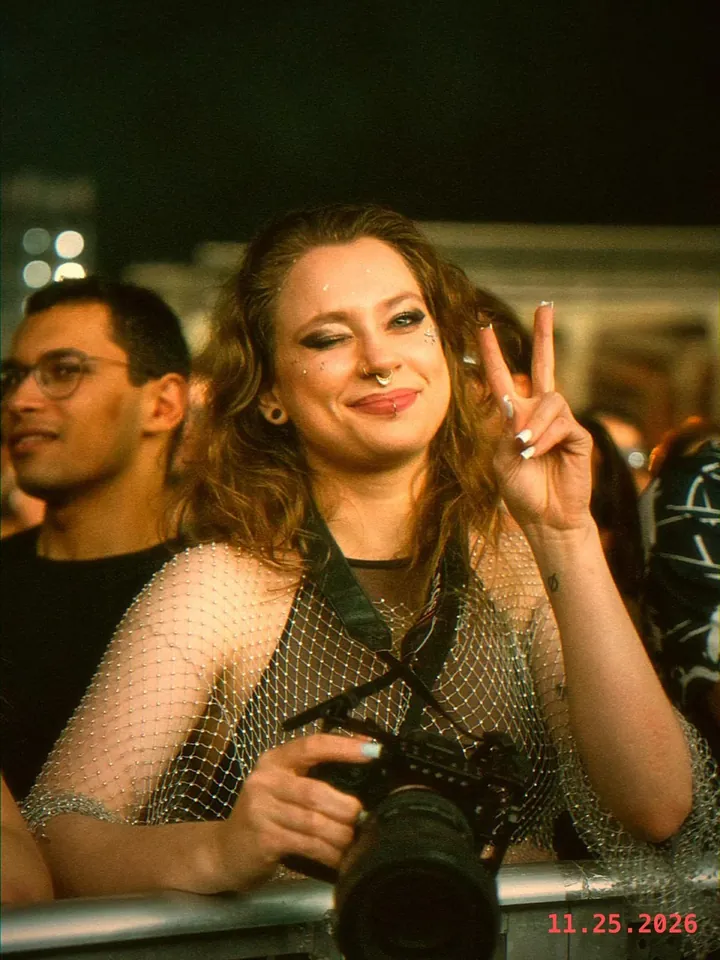

To make iPhone photos look like a digital camera, force the flash on, turn night mode off and stand close to your subject. Afterwards raise contrast, highlights and black point in the Photos editor and lower the shadows. An app with a digicam look does the editing part while you shoot.
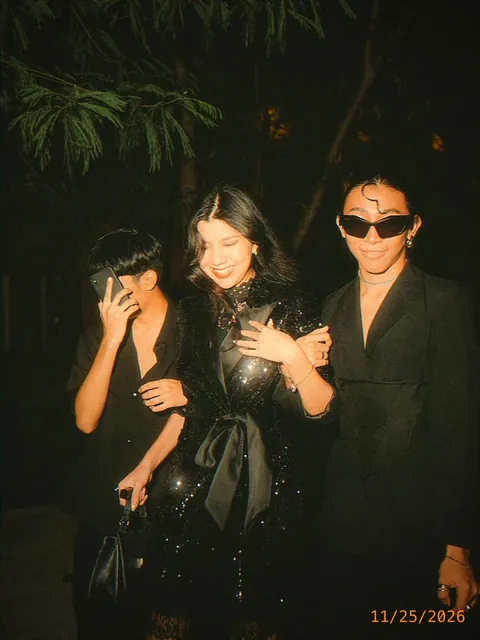
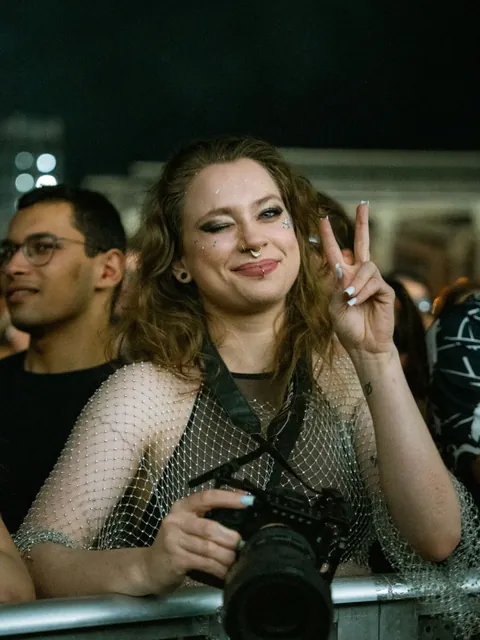 Original photo
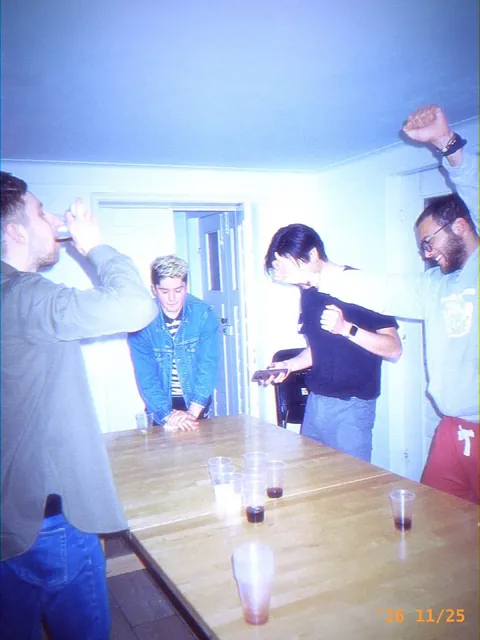
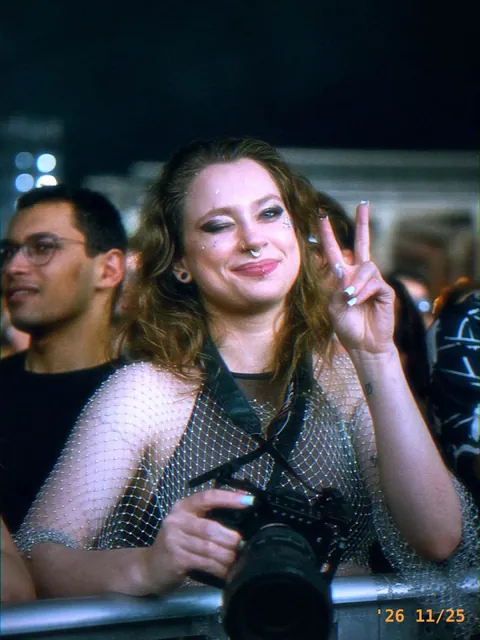 Cybershot '03
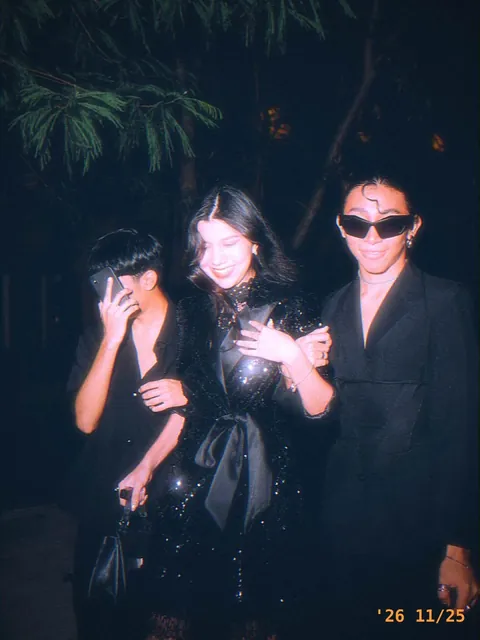
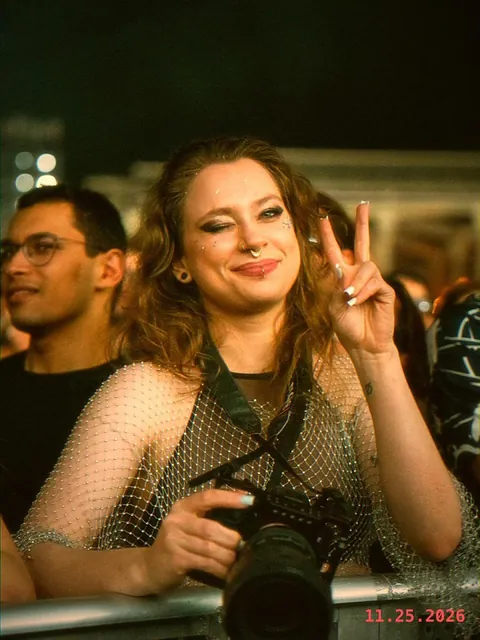 PowerShot '05
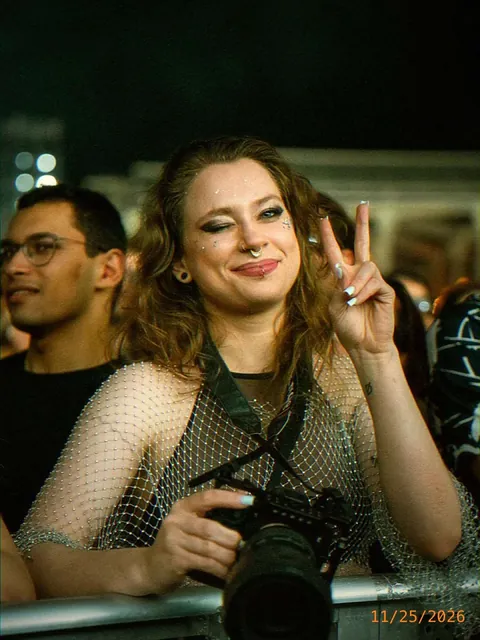 2MP Digicam
One stock photo and three digicam looks from Y2KCam. Cybershot '03 goes blue, PowerShot '05 goes warm and 2MP Digicam exaggerates the edges.
What you are copying
A useful model is the Canon PowerShot SD400, which Digital Photography Review tested in 2005. It had 5 megapixels on a tiny CCD, a zoom that started at the equivalent of 35 mm and a flash good for about 3.5 metres. So the pictures had modest detail and a narrower view than your phone, and at night the light came from right next to the lens.
Your iPhone works hard in the other direction. It blends several exposures to keep detail in bright and dark parts, and cleans and sharpens what it gets. The steps below undo some of that polish.
Shoot it like a digicam
- Set the flash to On. Auto leaves the decision to the phone. In iOS 27 tap the flash control above the frame, or the camera controls button and then Flash, until it says On. Apple shows both ways in its guide to the camera tools.
- Turn night mode off. Tap its button when it appears. Apple notes that turning on the flash deactivates night mode, so step one usually does this for you.
- Stay away from 0.5x. The ultra wide camera on a recent Pro is 13 mm against 24 mm for the main one. The PowerShot above started at 35. If your phone offers 1.5x, that is 35 mm. Otherwise use 1x and walk closer.
- Get close. One to two metres puts the flash on faces and leaves the room in the dark.
- Frame carelessly. Cut off an elbow, tilt a little, catch someone mid sentence. Centred and level reads as a phone photo.
Daylight works too. Use the flash against the sun so faces come out brighter than they should, or pick plain, hard midday light. Our page about digicam flash goes deeper into distance, red eyes and shiny skin.
Edit it in the Photos app
Open the photo, tap Edit, then Adjust, and swipe through the settings under the picture. Apple describes the panel here. Small moves on several sliders look better than a big one on a single slider.
| Slider | Direction | Why |
|---|---|---|
| Contrast | Up | Fewer steps between black and white. |
| Highlights | Up | Foreheads and white shirts may burn out. |
| Shadows, Black Point | Shadows down, Black Point up | Takes back the detail the phone rescued from the dark. |
| Brilliance | Down a little | Stops the even brightness that looks like a phone. |
| Vibrance | Up a little | Louder colours, with skin still believable. |
| Warmth | Left for a blue night, right for a birthday | A clear colour cast reads as an old camera, a neutral one as a phone. |
| Noise Reduction, Sharpness | Leave at zero | The phone has already done both. |
When one photo looks right, choose Copy Edits in the menu, select the rest of the evening and choose Paste Edits. Photos evens out white balance and exposure as it pastes, so check a few.
The editor on most iPhones cannot add grain. iPhone 18 Pro models and iPhone Duo can: Apple lists a Film texture and a Grain control among their Photographic Styles.
Use an app that does it while you shoot
Y2KCam puts the look in the viewfinder, so you see the colours before you press the shutter. It has three digicams. Cybershot '03 is cool with burnt highlights, PowerShot '05 is warm and vivid, and 2MP Digicam is the crunchy one with the strongest sharpening in the app.
 Original photo
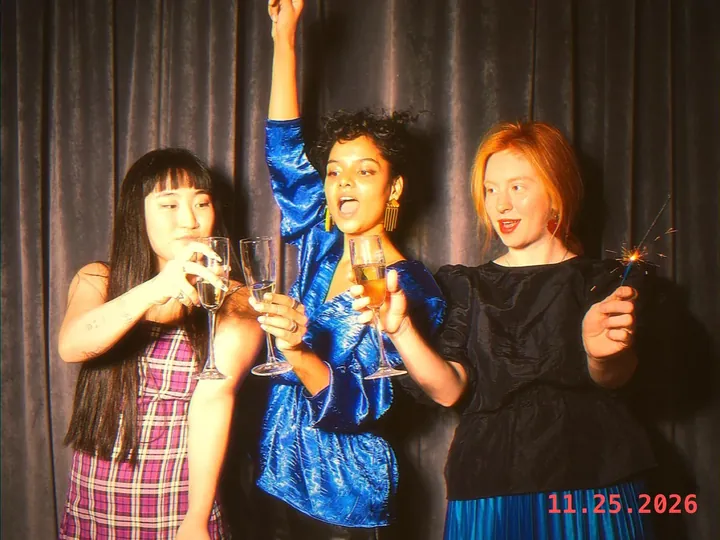 PowerShot '05
A stock photo taken with flash, before and after PowerShot '05. The warm cast and the date come from the app, and the hard light was already there.
- Turn the dial to a digicam, or swipe across the viewfinder.
- Set the flash to On with the lightning button.
- Press the shutter. The editor opens for light leaks, glitch, crop and adjustments, and you can ignore all of them.
- Tap Done. The photo is saved with its long side up to 1920 pixels, about what a 2 or 3 megapixel camera gave you.
A photo you already have goes through the import button and gets the same look. It always gets a date stamp with the day of the import, bottom right, whatever the settings say, so see the date stamp guide if you need another day. The download is free and setup lets you keep one photo, then the app needs a Pro subscription. All 17 looks are on the cameras page.
What gives the phone away
- Night mode, because it lights up the room that should have stayed black.
- A 0.5x view with stretched arms at the edge.
- Portrait mode blur around hair and glasses.
- Skin smoothing, from a beauty filter or a style set to soft skin.
- A fake film border on top of a digital look. Digicams had none.
- A date that cannot be true. Choose today's date or leave it off.