 Y2KCam




The iPhone camera cannot print a date on a photo. For a picture you already have, type the date with Markup, use our free browser tool or build a shortcut. If you want the date on every new photo, shoot with a camera app that stamps it.
| Way | Photos already taken | Date it shows |
|---|---|---|
| Info in Photos | Yes, on screen only | The date saved in the file |
| Markup | Yes | Whatever you type |
| Shortcut | Yes | The day the photo was taken, read from the file |
| Our browser tool | Yes, one at a time | The date in the field, which you can change |
| Y2KCam while shooting | New photos | Today |
| Y2KCam import | Yes | The day of the import, always, so the wrong day for an old photo |
See the date without printing it
Maybe you only need to know when it was. Open the photo in Photos and swipe up, or tap the info button. Apple's iOS 27 guide lists the date and time among the details you see there, next to the camera data. Tapping Adjust changes the stored date. The picture itself stays clean.
Type the date with Markup
Markup is already on the phone. The steps are from Apple's pages on editing photos and adding text for iOS 27.
- Open the photo, tap Edit, then Markup. Duplicate the photo first if you want a clean copy beside it.
- Tap the add button, then Add Text. A text box appears on the picture.
- Tap the box and type the date. For the old camera look use digits only, such as 11 25 26.
- Choose font, size and colour. Orange in a small size, dragged to the bottom right corner, is the classic.
- Tap Done. You can go back later with Revert to Original.
It works on any photo and prints any date, true or not. For a whole album it gets tedious fast.
Build a shortcut that reads the real date
The Shortcuts app can take the date out of the photo and write it on the picture. Apple added actions that overlay text on images with iOS 15. Its guide says an image variable offers Date Taken, and the wording of the Overlay Text action is in Matthew Cassinelli's action list.
- Create a shortcut. Open Shortcuts, tap the add button, then Add Action.
- Add Select Photos. It asks you for a picture each time the shortcut runs.
- Add Format Date. Use the photo as its date: tap the variable and choose Date Taken. Pick Custom and paste one of the patterns below.
- Add Overlay Text. Set it to the formatted date, on the photo you selected, at Bottom Right.
- Add the action that saves to Photos. Search for save in the action list. Run it on one photo and look at the result before you feed it more.
The patterns follow Apple's page on custom date formats. The first prints an apostrophe before the year, like a film camera.
- ''yy MM dd
- MM/dd/yy
- dd.MM.yy
To start it from the Photos app, open the shortcut's details and turn on Show in Share Sheet. A new first action appears, and under its input types you keep only Images. Apple says the photo you share is passed into that first action, and the variable that holds it is called Shortcut Input. Use it in Format Date and Overlay Text in place of the selected photo, and delete Select Photos. Keep a copy with Select Photos for running from the Shortcuts app.
A screenshot or a picture saved from a chat can carry a different date than the day it shows, so check before you print.
Print it in the browser
Our date tool opens one photo in the browser, draws the date and saves a new JPEG. You choose the date, format, colour, corner and size. The photo is never uploaded. The field starts with the date of the file, and you can change it to the day you want.
Have every new photo stamped
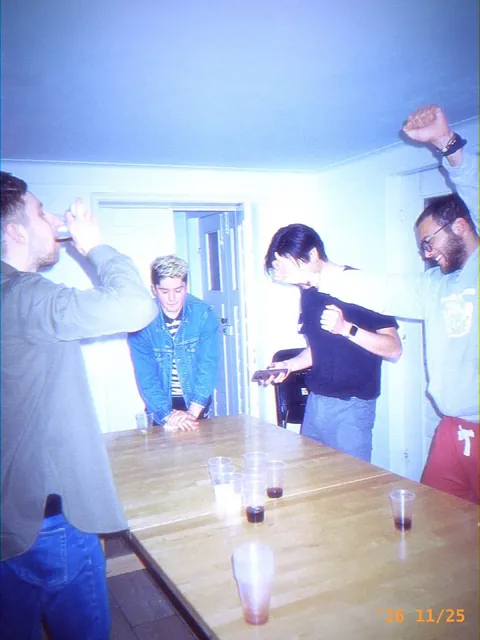
Y2KCam is a camera app with 17 old cameras, and its date stamp is on by default. The style belongs to the camera, and what it prints differs more than you would expect.
 Cybershot '03
 VGA Phone '04
 Handycam DV
 Lomo LC-A
One stock photo in four cameras, processed on 25 November 2026. Orange with the year first, green with the time, blue with seconds, and a month and day without any year.
- Cybershot '03, PowerShot '05, 2MP Digicam, Disposable Flash, Flip Phone '06, Holga '81 and APS Film '96 print a full date.
- Webcam '02, VGA Phone '04, Handycam DV, VHS Cam and Security Cam add the time.
- Polaroid and Diana Mini print the month and year. Gameboy '98 and Lomo LC-A print month and day.
- Night Vision prints only the time.
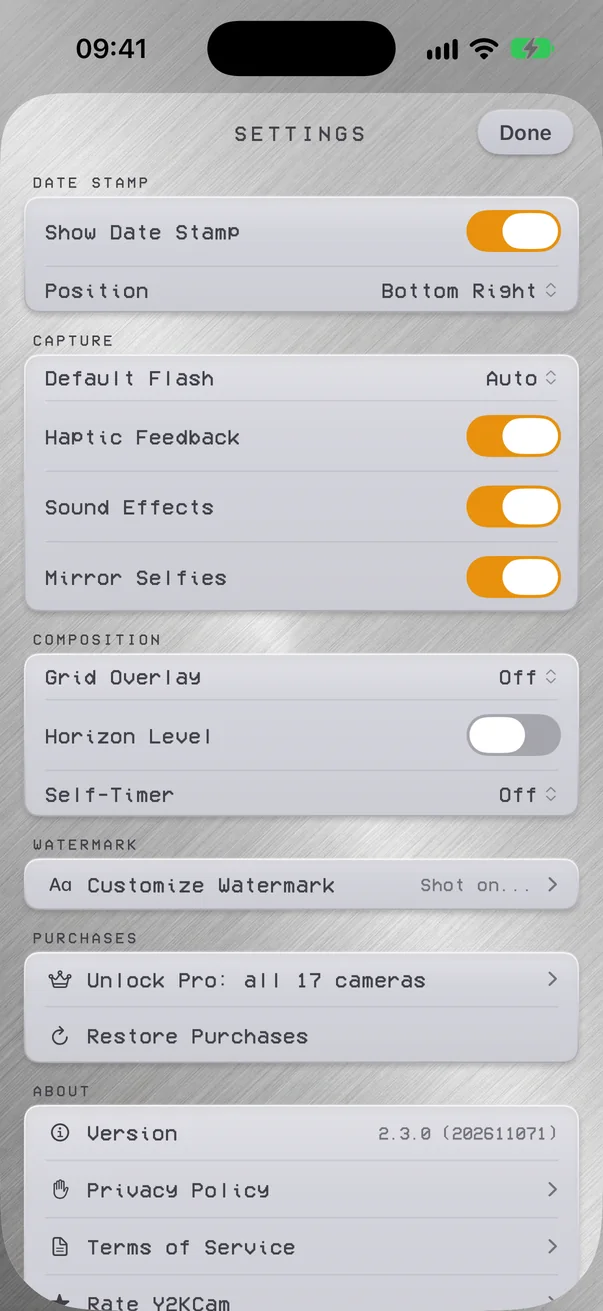
Show Date Stamp and Position sit under Date Stamp in the settings.
- Tap the gear at the top right of the camera screen.
- Find Date Stamp. Show Date Stamp turns it on or off for the photos you shoot.
- Tap Position to choose one of four corners.
The stamp always shows today's date. An imported photo always gets a stamp with the day of the import, bottom right, whatever the settings say, so for last summer's pictures the browser tool or the shortcut is the better choice. It is part of the saved picture.
The download is free and one photo in setup can be saved without paying. After that the app needs Pro. In the US App Store it was $4.99 a week or $19.99 a year on 25 November 2026, with a free trial if you are eligible.
When the date has to prove something
Every stamp on this page can be typed, changed or faked, ours included. For a claim, a rental handover or work, keep the original file with its stored date and ask which app the other side accepts.