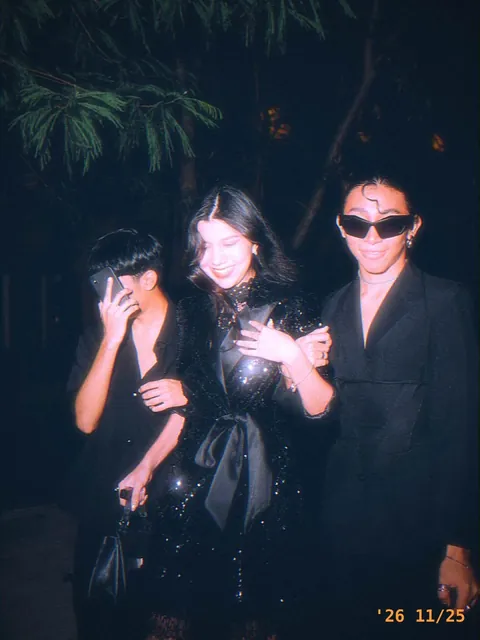
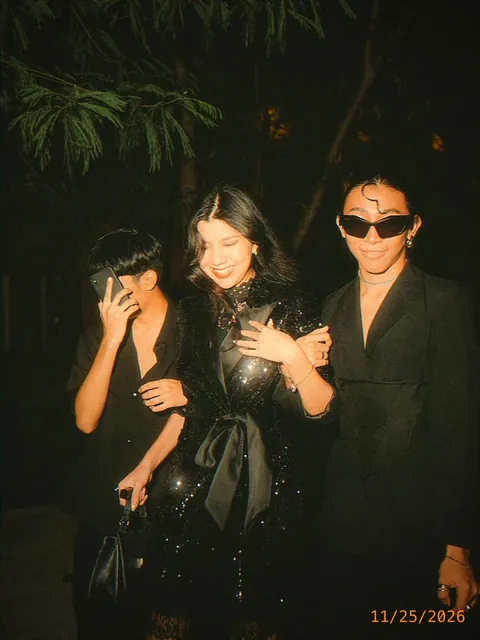
 Y2KCam



A digital camera filter makes a phone photo look like it came out of a compact camera from around 2003. A colour preset gets you part of the way. The rest is lower resolution, rough edges, burnt highlights and a flash fired from right next to the lens. (The glass filters you screw onto a lens, such as UV or polarising filters, are a different thing with the same name.)
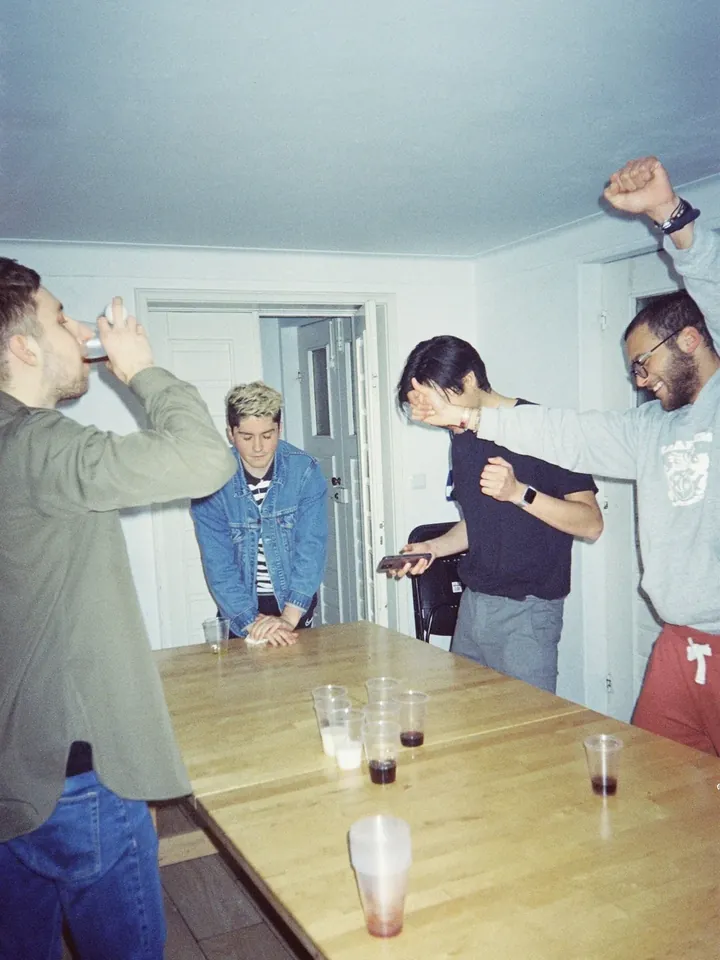 Original photo
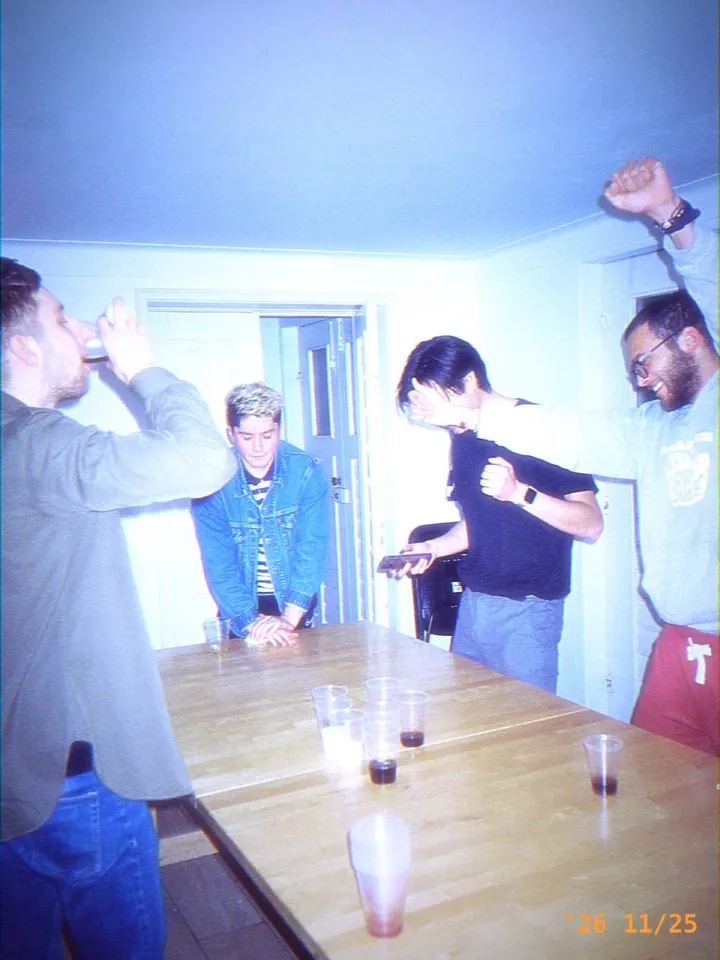 Cybershot '03
The same stock photo before and after Cybershot '03 in Y2KCam. The ceiling turns blue and the white wall burns out. The date is the day it was processed.
What makes a photo look like a digicam
Two cameras from shops of that time give you the scale. The Sony Cyber-shot DSC-P72 arrived in 2003 with a 3.2 megapixel CCD and a suggested price of $349. The Canon PowerShot A520 followed in March 2005 with 4 megapixels on a 1/2.5 inch CCD. A sensor that size is smaller than the one in a recent phone: the main camera of the iPhone 13 has 1/1.9 inch.
| What you see | Where it comes from |
|---|---|
| White shirts and lamps with no detail | Small pixels hold less light, so bright areas clip early and dark areas fill with noise. |
| Bright outlines around everything | Sharpening inside the camera. The test software maker Imatest says it was overdone mostly in cheap compacts and camera phones, which left halos along the edges. |
| Little squares in plain areas | JPEG saves a picture in blocks, and heavy compression lets you see them. |
| Flat faces, black room | A small flash beside the lens reaches the people in front and nothing behind them. |
| A blue or an orange mood | Automatic white balance choosing wrong, plus each maker's taste. DPReview called the colours of the A520 typically bright and vivid. |
| Orange numbers in the corner | The date, if somebody had turned it on and set the clock. |
Cameras differed. The same DPReview test found very little purple fringing on the A520 and wanted a bit more sharpening, so there is no single correct digicam look. Pick the faults you like. The page on the CCD look has more on the sensor part.
Get near it in the iPhone Photos editor
This costs nothing and works on any photo. The sliders below are described in How-To Geek's list, and Apple's iPhone guide shows where to find them.
- Shoot with the flash on. In Camera tap the Flash control above the frame until it says On, as Apple describes. Stand close.
- Open the photo, tap Edit, then Adjust. Swipe left under the picture to reach each setting.
- Raise Exposure and Highlights until something white loses its detail. Lower Shadows and raise Black Point so the background goes dark.
- Choose a side with Warmth. Left for the cold, blue compact, right for the warm one. Then raise Saturation a little.
- Push Sharpness and Definition further than looks sensible, because you want to see the edges.
- Crop in. Throwing away half the frame throws away pixels too, which helps more than it should.
The editor has no control for resolution, JPEG quality or a printed date. For the date there is a free tool on this site. For a browser filter without an account, Digital Camera Filter Online says it works on your device without uploading the photo. It also says it leaves resolution and JPEG alone.
What the digicams and the webcam in Y2KCam do
Of the 17 cameras in the app, three digicams and a webcam belong here. They lower the resolution, change the colour, sharpen, add noise and then save with strong JPEG compression. You see all of it in the viewfinder before you shoot, except the JPEG damage, which is added when the photo is saved.
 Cybershot '03
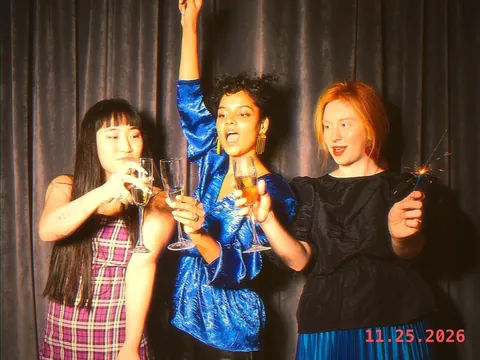 PowerShot '05
 2MP Digicam
 Webcam '02
One flash photo in three digicam looks and Webcam '02. Look at the curtain: blue in the first frame, brownish in the second, neutral in the third, grey in the last.
- Cybershot '03 is cool and blue. Highlights blow out and glow, bright edges get a coloured fringe and the sharpening is hard.
- PowerShot '05 is the warm, vivid one. Skin goes golden and reds come forward.
- 2MP Digicam has vivid colour and the strongest sharpening in the app.
- Webcam '02 drops to very low resolution, with washed out colour and a cyan tint.
 Original photo
 Cybershot '03
 PowerShot '05
 Webcam '02
Mixed neon light. Cybershot '03 pushes it to blue and white, PowerShot '05 to orange, Webcam '02 drains it.
Each camera prints today's date in its own style, and you can move or switch off the stamp for photos you shoot in the app. An imported photo keeps it, bottom right. The names say which kind of camera inspired a look. They are not measurements of one device.
Two limits: saved photos are up to 1920 pixels on the long side, which is a fair size for this look and too small for a big print. And after the one free photo in setup you need Pro. In the US App Store it was $4.99 a week or $19.99 a year on 25 November 2026, with a free trial if you are eligible.
When a filter cannot help
- No flash in the shot. A filter can brighten a face, but the hard shadow behind the head has to be there already. See digicam flash on iPhone.
- Night mode. It brightens the whole scene, and then there is no black background left. Tap its button to turn it off.
- Portrait mode. At the same aperture a smaller sensor keeps more of the scene in focus, and compacts had small ones. Fake blur gives the phone away.