 Y2KCam



For digicam flash photos on an iPhone, set the flash to On, stand one to two metres from people and put something dark or far away behind them. Use the back camera at 1x and keep night mode off.
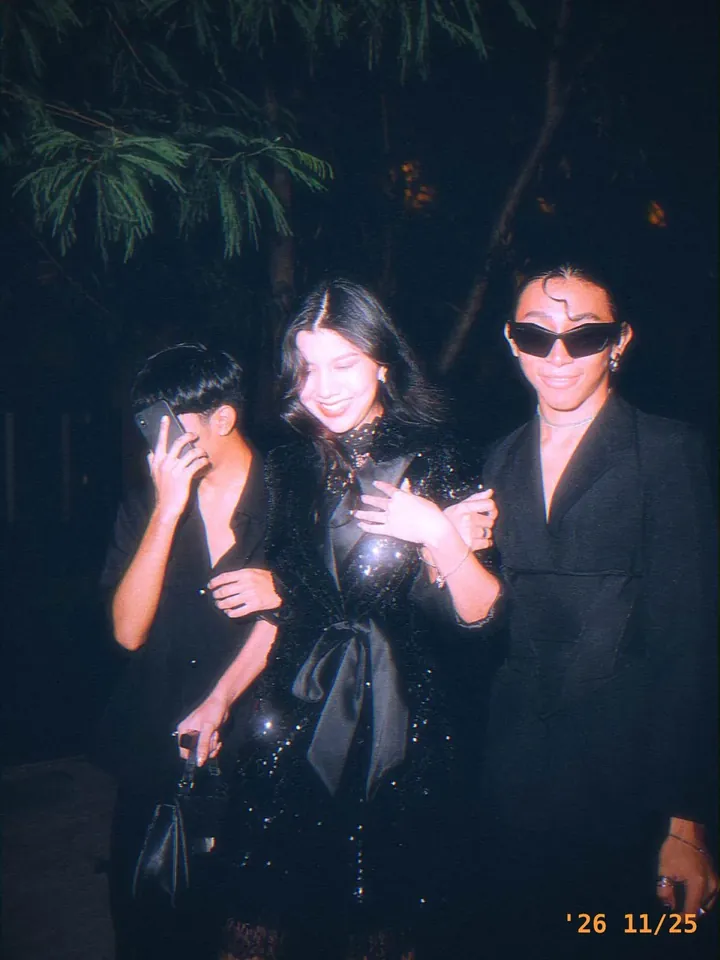 Cybershot '03
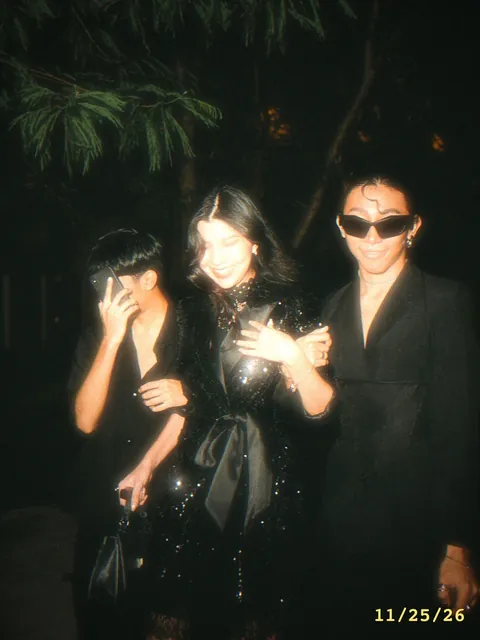
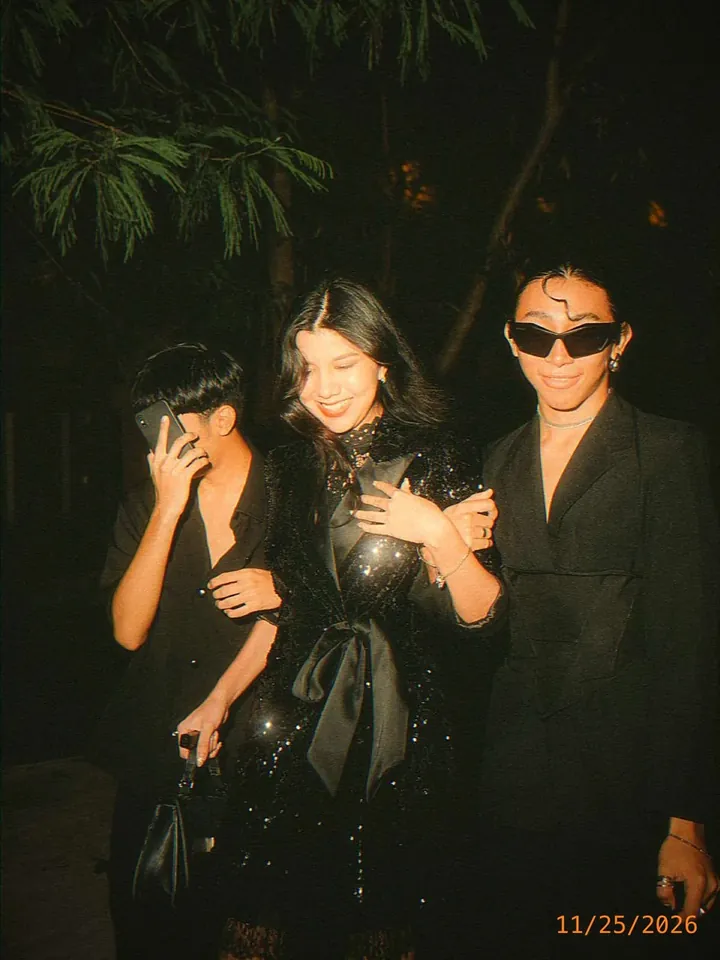
A stock photo shot with direct flash, run through Cybershot '03 in Y2KCam. The trees a few steps behind receive almost no light.
Force the flash on
The iPhone uses its flash automatically when it decides it needs it, and a lit bar often counts as bright enough. The steps are from Apple's guide to the camera tools in iOS 27.
- Open Camera. Look for the flash control above the frame.
- Tap it until it says On. The other two settings are Auto and Off.
- No flash control? Tap the camera controls button or swipe up from the camera modes, then tap Flash.
- Keep it visible. In Settings, Camera, Indicators turn on Flash.
Switch night mode off and keep it off
Night mode does the opposite of a flash. It brightens photos and captures more detail in low light, so the room behind your friends comes back and the black is gone. It can also take several seconds, and people move.
The two exclude each other. Apple says the flash is not active in night mode, and turning the flash on deactivates night mode. If the mode returns while the flash is off, tap its button once. To make the phone remember, go to Settings, Camera, Preserve Settings and turn on Night Mode, which saves your last choice so it does not reset to Auto.
Stand closer than feels polite
Light from a small source fades quickly. Twice the distance leaves a quarter of the light. A face at one metre and a wall at four metres therefore differ by a factor of sixteen, and the wall goes dark without any editing. A face at three metres and the same wall are much nearer to each other in brightness, so the picture turns flat.
The Canon PowerShot SD400 of 2005 listed its flash at 0.5 to 3.5 metres at the wide end. Apple's specification pages for the iPhone 17 name the flash and give no distance. One to two metres is a sensible start, and for a group it helps if everybody stands in one row, because the back row gets less.
Hold still for a moment as well. All About Symbian, writing about phones with a xenon flash, put that flash at well under a thousandth of a second and the shutter without it at 1/30 of a second at best. An iPhone flashes with an LED. Dancing will blur. Some people like that better.
Choose the background
- Open dark, such as a garden, street or car park, gives black with faces floating in it.
- Shiny things throw the flash back. Tinsel, sequins, foil balloons and car paint all sparkle.
- A wall right behind people gives the hard shadow beside the head. Let them lean on it.
- Mirrors and windows show the flash as a white star. Shoot them at an angle unless you want it.
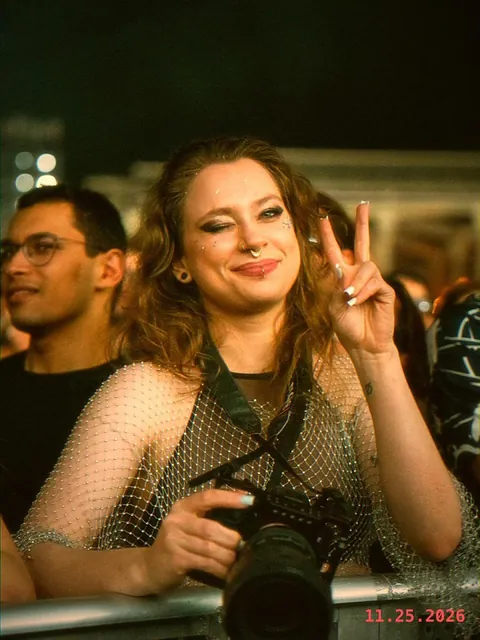
 Original photo
 Cybershot '03
 PowerShot '05
 Disposable Flash
A tinsel curtain is cheap and does half the work. One stock photo, then Cybershot '03, PowerShot '05 and Disposable Flash.
Red eyes and shiny skin
Red eye is flash light coming back from inside the eye. Fujifilm says it happens most with the flash near the lens and the subject looking straight into it, and suggests looking elsewhere, more room light or a flash further away. Kodak's help page says the opposite about direction: centre the person and let them look directly at the camera. Both agree on more light in the room, since it makes pupils smaller. Try a glance past the phone first, it also looks less posed. If it is too late, Photos on a Mac has a Red-Eye tool. Or keep them, they were there in 2004.
Shine belongs to the look, up to a point. Setting powder takes it down, and powder has its own trap. Lab Muffin Beauty Science explains that silica in many translucent powders scatters flash into white patches, and that titanium dioxide and zinc oxide can do it too. Take one flash photo before you leave the house.
Flash on the front camera
The front camera has no lamp of its own. Apple introduced Retina Flash with the iPhone 6s as something that momentarily makes the display three times brighter, and it is still on the spec sheet of the iPhone 17. A whole screen is a large, soft light compared with the dot on the back. Digital Camera World notes that the rear flash is the strongest and that the effect does not work very well with the selfie camera.
So flip the phone, hold it at arm's length with the back camera towards you and shoot three. Two of them will miss somebody's head, which is how selfies worked before screens faced forward.
Shoot it in Y2KCam
The app uses the phone's own flash. The lightning button on the camera screen switches between Auto, On and Off, and Default Flash in the settings decides how it starts. What the app adds is the rest of the old camera: colour, contrast, grain and the date. It will not invent a flash that did not fire.
 Original photo
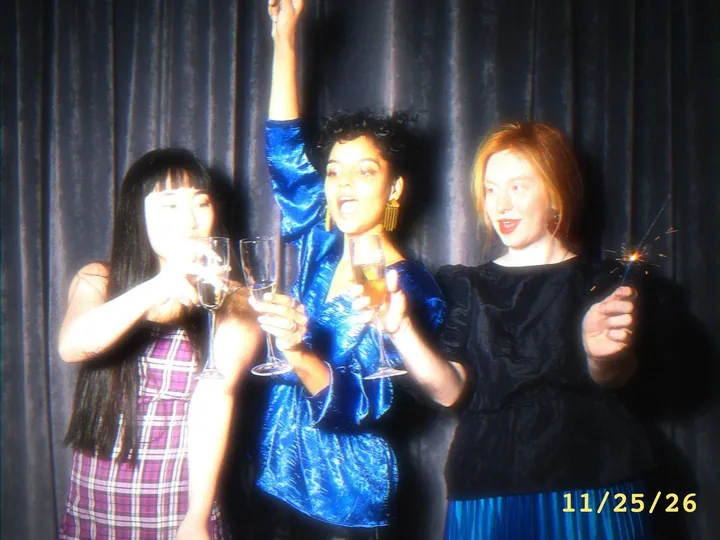 Disposable Flash
The flash and the shadows are in the stock photo already. Disposable Flash lifts the exposure until the palest skin burns out, so it suits a photo that was a little dark.
For flash, Cybershot '03 keeps the night blue, PowerShot '05 warms faces and 2MP Digicam stays closest to the original colours with harder edges. If a camera burns the faces out, step back half a metre. Compare them on the cameras page.
The same tricks without an app, including the sliders to use afterwards, are in how to make iPhone photos look like a digital camera.