 Y2KCam


A film camera app takes a digital photo and adds what film did to it: grain, a glow around lights, colour with a bias, darker corners and a lens that is less than sharp. Once you know those five, you can compare apps, or do a good part of the work in the iPhone's Photos app for nothing.
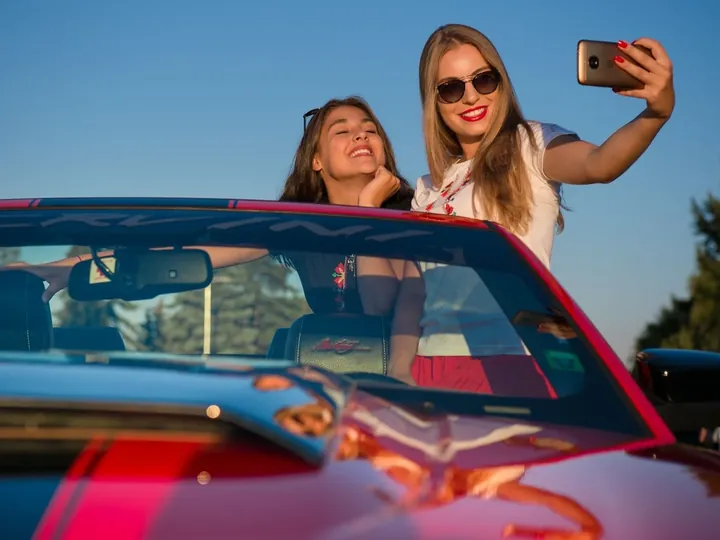 Original photo
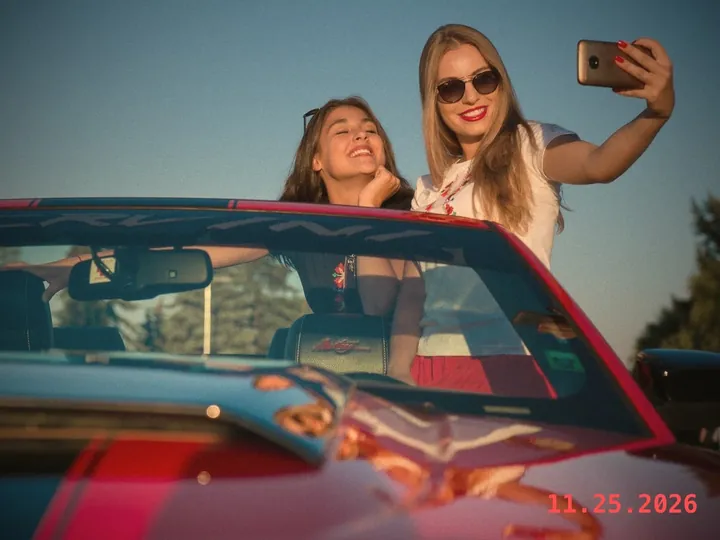 APS Film '96
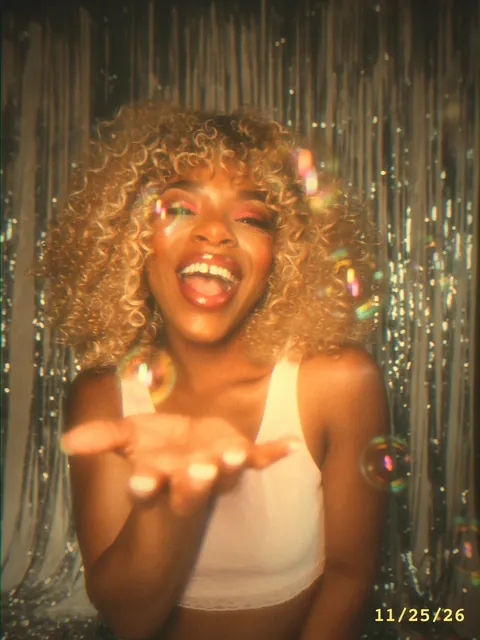
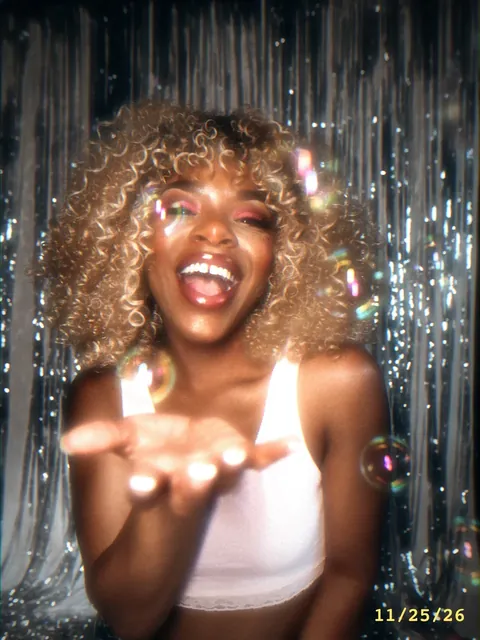
The same stock photo before and after APS Film '96 in Y2KCam. The blue goes quiet, the whites warm up and the corners darken. The date is the day it was processed.
What film does to a picture
| Part | Why film has it | Where you notice it |
|---|---|---|
| Grain | It is the texture of silver particles or dye clouds. Bigger crystals make the film more sensitive to light and visibly grainier. | Skies, walls and other plain areas. |
| Halation and glow | Strong light goes through the film, bounces back and hits the red layer again, so lamps get a halo. Many films have a layer that limits this. | Lamps, candles, windows, a white shirt in flash. |
| Colour | Each film and each lab has a bias. Crossing film and chemistry on purpose, called cross processing, skews it further. | Skin, and anything that should be white. |
| Vignette | Lenses send less light to the corners than to the centre, some of them far less. | The corners of a bright sky or a wall. |
| Soft lens | Toy cameras use one plastic meniscus, a single curved piece. | Hair, leaves and text. |
The free route in the iPhone Photos app
Apple explains the editor in its iPhone guide. Open a photo, tap Edit, then Adjust, and swipe left for the settings.
- Lower Contrast a little and drag Black Point to the left. Faded shadows look like an old print.
- Move Warmth and Tint. Warm for a nineties print, a touch of green for expired film.
- Take some Saturation out. For a toy camera do the reverse and push it up.
- Lower Sharpness and Definition. A phone sharpens every photo by itself, and film has no such step.
- Add Vignette until you notice it, then go halfway back.
- Copy the edit. Tap the menu, then Copy Edits, and paste it on the other photos of the day so they match like one roll.
Grain depends on the phone. With iOS 27, photos taken on an iPhone 18 Pro model or on iPhone Duo (with the Ultra Wide, Main or Center Stage camera) can get a Film texture and grain through Styles. MacRumors reports that older iPhones do not get this. On those, the photo stays clean whatever you do with the sliders.
Six film cameras in Y2KCam
Each is a recipe of ordinary image processing, with no AI, and you see it in the viewfinder while you shoot. The names say what inspired a look. Y2KCam has no connection to the makers.
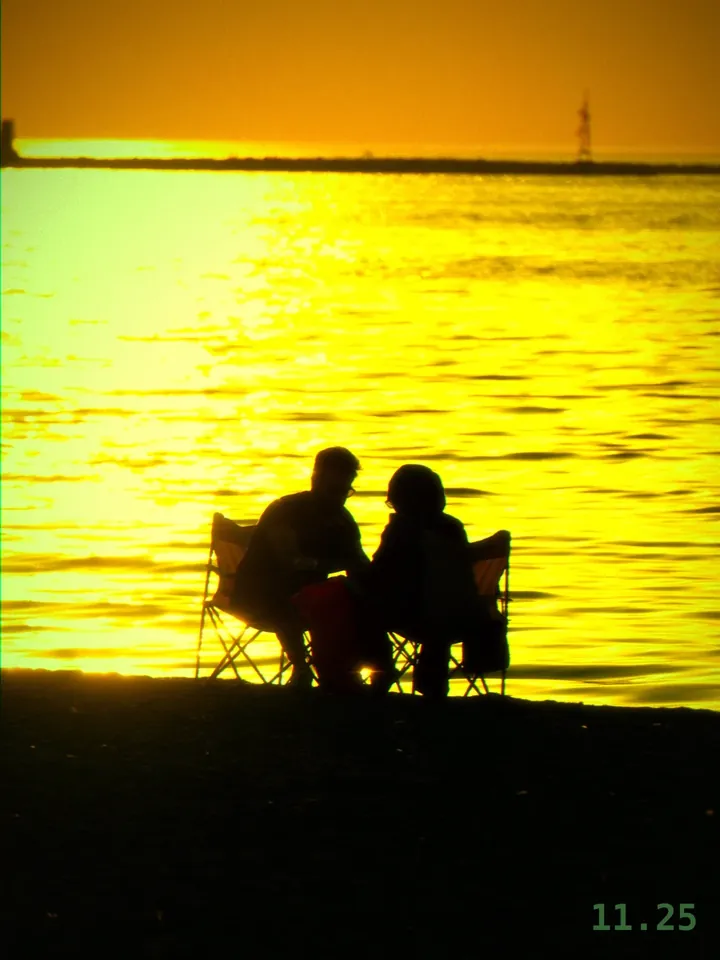
 APS Film '96
 Lomo LC-A
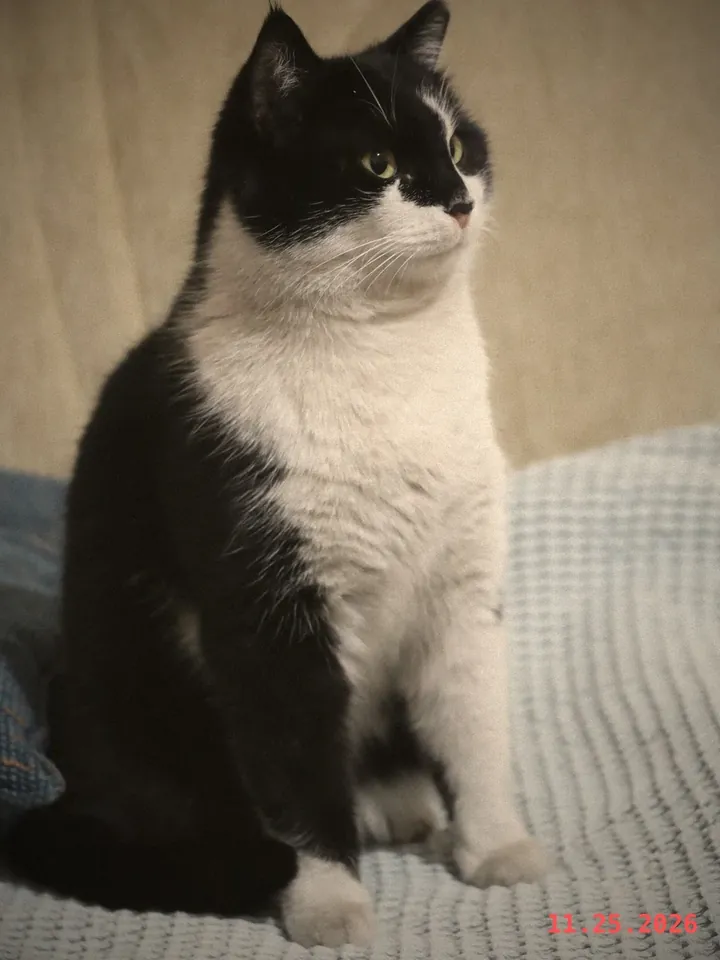
 Holga '81
 Diana Mini
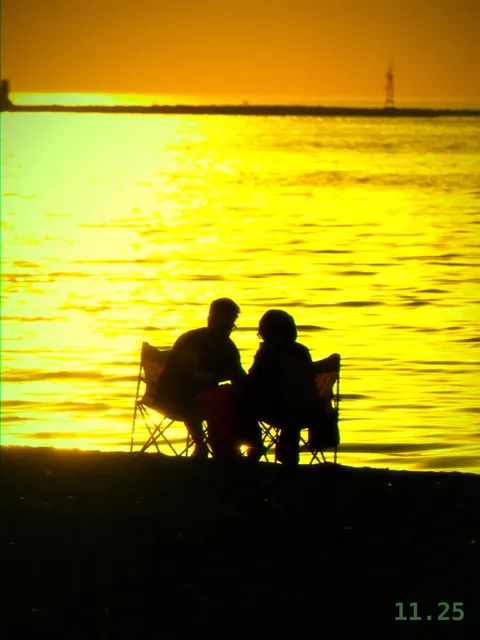
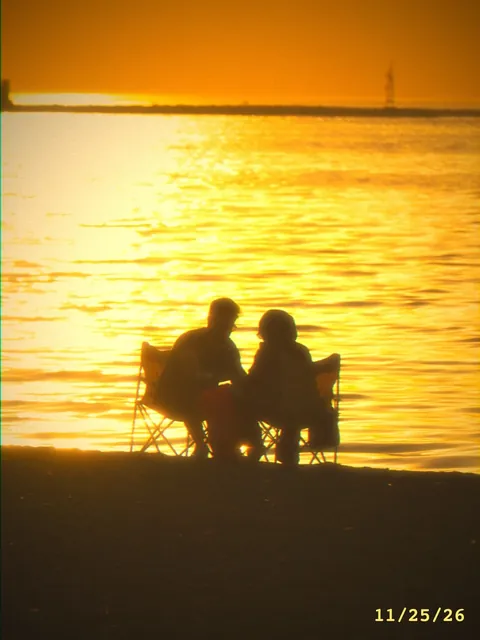
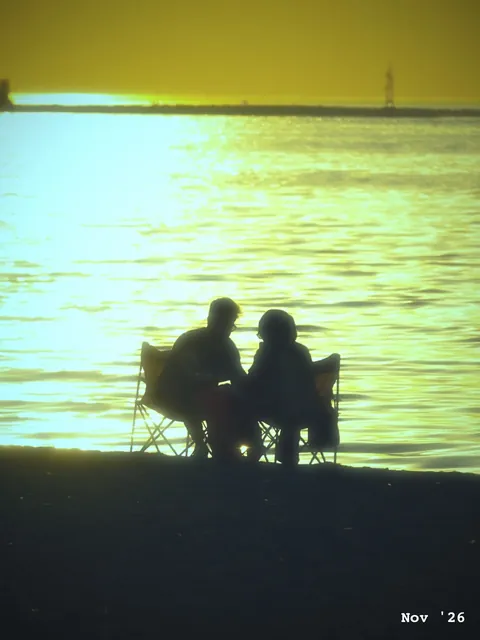
One sunset, four films. APS Film '96 keeps it calm, Lomo LC-A goes acid yellow, Holga '81 orange, Diana Mini green and milky.
APS Film '96
Muted, slightly warm, with coarse grain and a hint of glow. The inspiration is the Advanced Photo System, a film cartridge sold from 1996 to 2011. Kodak called its version Advantix.
Lomo LC-A
The most saturated of the six, with a green and yellow shift, deep blacks and a tunnel of shadow. Behind it is a compact made in Leningrad from 1984. Kosmo Foto describes its lens as sharp, contrasty and heavy on vignetting. In the app, skin can turn yellow, so use it for streets and signs.
Holga '81
Warm, saturated, soft, with the strongest dark corners in the app. It is inspired by the Holga, a plastic toy camera from Hong Kong known for vignetting, blur and light leaks. Wikipedia dates the camera to 1982, and the '81 is only part of the name of our look.
Diana Mini
Teal and green, low contrast, with the strongest bloom of the toy cameras here. The first Diana was made in Hong Kong from the early 1960s and often given away as a prize. The Mini is Lomography's 35mm version.
 Original photo
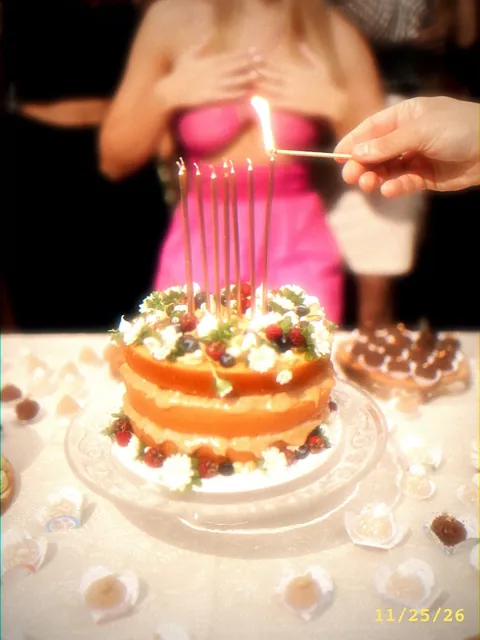 Disposable Flash
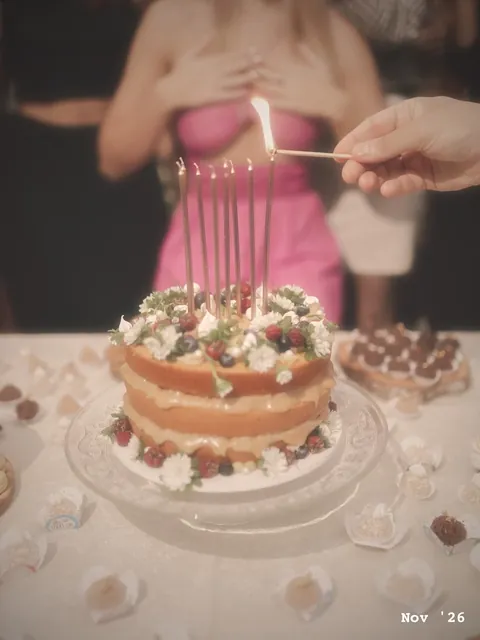 Polaroid
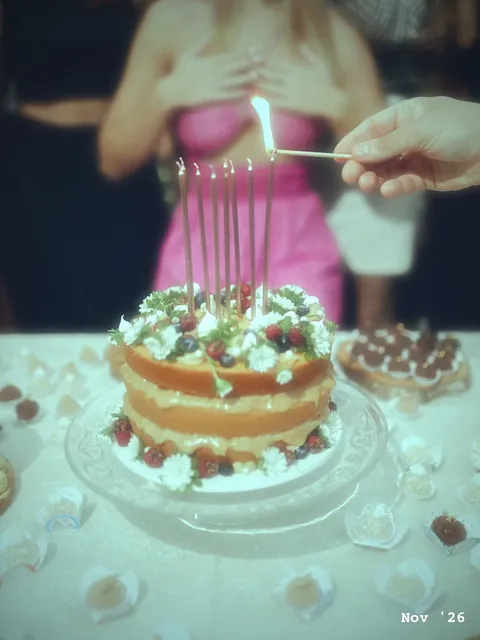 Diana Mini
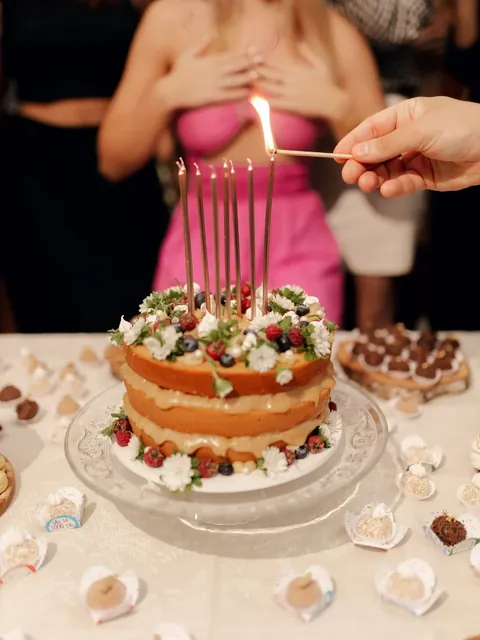
Disposable Flash burns the tablecloth, Polaroid fades the pink, Diana Mini cools everything down.
Disposable Flash
Brighter, harder contrast, glowing highlights, grain and dark corners, with neutral colour. The inspiration is the cardboard camera with a flash, such as the Kodak FunSaver. The disposable camera filter page goes into detail.
Polaroid
Faded, low in contrast, warm and soft, with fine grain. It borrows from instant film, which develops itself minutes after the shot. The app copies the picture and adds no white border.
A film camera app and a film camera
| Film camera | Film camera app | |
|---|---|---|
| Frames | 27 on a FunSaver | As many as your storage holds |
| Cost | $16 in the text of a FunSaver review, $22 at Amazon on 25 November 2026, then the lab | Y2KCam Pro was $4.99 a week or $19.99 a year in the US App Store on 25 November 2026 |
| Waiting | Until the lab is done | None |
| What remains | A negative you can scan again | A file, in Y2KCam up to 1920 pixels on the long side |
| Mistakes | Real, and sometimes the good part | Light leaks only if you add them |
If you like the suspense and the paper, shoot a roll now and then, and see what developing costs first. If you want Friday's photos to match each other by Saturday, the app does that. Y2KCam also has no zoom, needs Pro after the one free photo in setup (with a free trial if you are eligible), and stamps today's date unless you switch the stamp off. An imported photo always gets the stamp with the day of the import, bottom right.